
 iPad Repair
 Mac Repair
 Apple Watch Repair
iPhone XR Repair in Kampala
Fast, warranty-backed iPhone XR repairs at Apple Lab Uganda on Kampala Road. Certified technicians, genuine parts and a free diagnosis before any work begins.
- Genuine parts
- 8 parts available
- 17 repair services
iPhone XR parts we replace.
Genuine or premium parts, fitted by certified technicians. Book online or get a price on WhatsApp.
Every iPhone XR problem, solved.
Tap a problem to book it. Free diagnosis before any work.
Book a repair
About the iPhone XR
Get your iPhone XR repaired quickly and efficiently at Apple Lab Uganda. Our certified technicians offer top-quality screen replacements, battery services, and more, ensuring your device functions like new. Trust Apple Lab Uganda for all your iPhone XR repair needs.
- Device
- iPhone
- Series
- X series
- Release
- 2018
- Repair at
- Kampala Road, B16
Specification of iPhone XR
The iPhone XR was released on October 26, 2018. Here are some specifications of the iPhone XR:
🍏Display: 6.1-inch Liquid Retina HD display
🍏Chip: A12 Bionic chip
Camera: 12MP wide-angle camera
🍏Front Camera: 7MP TrueDepth front camera
🍏Face ID: Enabled for secure authentication
🍏Battery Life: Lasts up to 1.5 hours longer than iPhone 8 Plus
🍏Water and Dust Resistance: Rated IP67 (maximum depth of 1 meter up to 30 minutes)
🍏Colors: Available in various colors including White, Black, Blue, Coral, Yellow, and (Product)Red
🍏Storage Options: Available in 64GB, 128GB, and 256GB storage capacities
🍏Operating System: Initially released with iOS 12, but supports the latest iOS versions
This is just a brief overview of the iPhone XR specifications
iPhone XR repair guide & tips
Why choose Apple Lab Uganda for your iPhone XR
Tips & Tricks
👍 Face ID: Utilize Face ID for secure authentication and unlocking of your device. Set up Face ID in Settings > Face ID & Passcode for a convenient and secure way to access your iPhone.
👍 Gesture-Based Navigation: Take advantage of the gesture-based navigation system on the iPhone XR. Swipe up from the bottom of the screen to go to the Home screen, swipe up and hold for multitasking, and swipe down from the top right corner for Control Center.
👍 Customize Control Center: Access Control Center by swiping down from the top-right corner of the screen. Customize it by adding or removing shortcuts for quick access to settings such as Wi-Fi, Bluetooth, and Airplane Mode.
👍 Dual SIM Support: If you have a carrier that supports eSIM, you can take advantage of dual SIM functionality on the iPhone XR. This allows you to have two phone numbers on one device, useful for separating work and personal calls or when traveling internationally.
👍 Optimize Battery Life: Extend your battery life by managing settings such as background app refresh, location services, and screen brightness. Enable Low Power Mode from Settings > Battery when your battery is running low to further conserve power.
👍 Maximize Camera Capabilities: Experiment with different shooting modes like Portrait mode and Depth Control to capture stunning photos with depth-of-field effects. Take advantage of Smart HDR for improved photo quality in various lighting conditions.
👍 Utilize Siri: Siri can help you perform various tasks hands-free. Activate Siri by pressing and holding the side button or saying “Hey Siri.” Use Siri to set reminders, send messages, make calls, and more.
👍 Enable Find My iPhone: Protect your device by enabling Find My iPhone. This feature helps you locate your device if it’s lost or stolen, remotely lock it, or erase its data to prevent unauthorized access. Go to Settings > [Your Name] > Find My > Find My iPhone to enable this feature.
👍 Stay Updated: Keep your device up-to-date with the latest software updates. Check for updates in Settings > General > Software Update to ensure you have access to the latest features, bug fixes, and security patches.
👍 Explore Accessibility Features: Customize your iPhone XR experience according to your needs with accessibility features like VoiceOver, Magnifier, and Guided Access. These tools can enhance usability and accessibility for users with disabilities.
By incorporating these tips and tricks into your iPhone XR usage, you can enhance your overall experience and make the most out of its features and capabilities.
Tips & Tricks
👍 Face ID: Utilize Face ID for secure authentication and unlocking of your device. Set up Face ID in Settings > Face ID & Passcode for a convenient and secure way to access your iPhone.
👍 Gesture-Based Navigation: Take advantage of the gesture-based navigation system on the iPhone XR. Swipe up from the bottom of the screen to go to the Home screen, swipe up and hold for multitasking, and swipe down from the top right corner for Control Center.
👍 Customize Control Center: Access Control Center by swiping down from the top-right corner of the screen. Customize it by adding or removing shortcuts for quick access to settings such as Wi-Fi, Bluetooth, and Airplane Mode.
👍 Dual SIM Support: If you have a carrier that supports eSIM, you can take advantage of dual SIM functionality on the iPhone XR. This allows you to have two phone numbers on one device, useful for separating work and personal calls or when traveling internationally.
👍 Optimize Battery Life: Extend your battery life by managing settings such as background app refresh, location services, and screen brightness. Enable Low Power Mode from Settings > Battery when your battery is running low to further conserve power.
👍 Maximize Camera Capabilities: Experiment with different shooting modes like Portrait mode and Depth Control to capture stunning photos with depth-of-field effects. Take advantage of Smart HDR for improved photo quality in various lighting conditions.
👍 Utilize Siri: Siri can help you perform various tasks hands-free. Activate Siri by pressing and holding the side button or saying “Hey Siri.” Use Siri to set reminders, send messages, make calls, and more.
👍 Enable Find My iPhone: Protect your device by enabling Find My iPhone. This feature helps you locate your device if it’s lost or stolen, remotely lock it, or erase its data to prevent unauthorized access. Go to Settings > [Your Name] > Find My > Find My iPhone to enable this feature.
👍 Stay Updated: Keep your device up-to-date with the latest software updates. Check for updates in Settings > General > Software Update to ensure you have access to the latest features, bug fixes, and security patches.
👍 Explore Accessibility Features: Customize your iPhone XR experience according to your needs with accessibility features like VoiceOver, Magnifier, and Guided Access. These tools can enhance usability and accessibility for users with disabilities.
By incorporating these tips and tricks into your iPhone XR usage, you can enhance your overall experience and make the most out of its features and capabilities.
Why choose Apple Lab Uganda for your iPhone XR
Expert iPhone XR Repair Service at Apple Lab Uganda
We Are Professionals Providing Top-Tier iPhone XR Repair Services
At Apple Lab Uganda, we are committed to delivering exceptional repair services for your iPhone XR. Our certified technicians excel in diagnosing and fixing a variety of hardware issues, ensuring your device operates flawlessly. We use high-quality parts and offer swift turnaround times to minimize any disruption to your routine.
Comprehensive iPhone XR Repair Solutions
Screen Repair and Replacement: A cracked or unresponsive screen can significantly affect your phone’s usability. Our technicians specialize in iPhone XR screen repair and replacement, using premium quality screens to restore your device’s display to its original condition, ensuring vibrant visuals and responsive touch functionality.
Battery Replacement: If your iPhone XR battery is draining quickly or not holding a charge, we offer reliable battery replacement services. We use high-quality batteries that provide optimal performance and longevity.
Camera and Sensor Repairs: Camera issues can be frustrating, especially if you rely on your iPhone XR for capturing important moments. Our technicians are skilled in repairing both front and rear cameras. We also address issues with other sensors, ensuring your camera functions perfectly for high-quality photos and videos.
Audio and Microphone Repair: Clear audio is essential for calls, music, and recordings. If you’re having trouble with your iPhone XR’s speaker or microphone, our expert technicians provide thorough repair services to ensure crystal-clear sound for all your communication and media needs.
Charging Port Repair: Issues with your charging port can prevent your iPhone XR from charging properly. We offer charging port repair services to restore your device’s charging capability, ensuring that your phone is always ready when you need it.
Network and WiFi Connectivity: Connectivity issues can disrupt your daily activities. If your iPhone XR is struggling to connect to cellular networks or WiFi, we diagnose and resolve the problem, ensuring your device maintains a stable connection.
Water Damage Repair: Water damage can be one of the most severe issues for an iPhone. Our advanced drying and repair techniques help salvage your device, preventing further damage and restoring its functionality.
Why Choose Apple Lab Uganda?
- Certified Technicians: Our team consists of experienced and certified professionals.
- High-Quality Parts: We use only premium parts for all repairs.
- Quick Turnaround: We understand the importance of your device, so we ensure quick repair times.
- Affordable Pricing: Our services are competitively priced without compromising on quality.
- Customer Satisfaction: We prioritize customer satisfaction and offer warranties on our repairs.
Book Your Repair Appointment Today
Don’t let a damaged iPhone XR slow you down. Visit Apple Lab Uganda for all your repair needs. Book your appointment today and experience the best iPhone repair service.
Contact Us
For more information or to schedule a repair, visit our website or drop by our store in Uganda. Our knowledgeable technicians are here to help you with all your iPhone XR repair needs. Let Apple Lab Uganda restore your device to its optimal performance!


From drop-off to done.
- 1Free ConsultationTell us the issue with your device, and we’ll provide a free diagnostic consultation to get started.
- 2In-depth DiagnosisOur skilled Apple technicians perform a thorough diagnostic check to identify the exact problem and recommend the best repair solution.
- 3Cost EstimationA clear quotation with a full breakdown of repair costs and time required, so you can decide with confidence.
- 4Repair ProcessOnce you approve, our technicians repair your device using genuine Apple parts and advanced techniques.
- 5DeliveryA comprehensive quality test, then we notify you for collection — a fully restored, reliable device.
Other models we repair
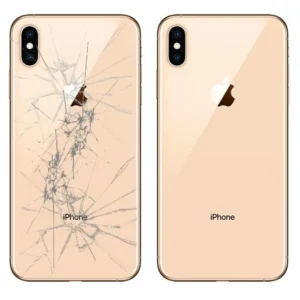 iPhone XSX series · 2018
 iPhone 12Standard · 2020
iPhone 12 Minimini · 2020
iPhone 12 ProPro · 2020
 iPhone 12 Pro MaxPro Max · 2020
 iPhone 13Standard · 2021
iPhone 13 Minimini · 2021
iPhone 13 ProPro · 2021
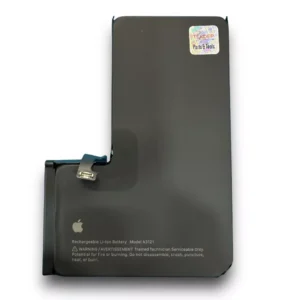 iPhone 13 Pro Battery ReplacementPro · 2021
iPhone 13 Pro MaxPro Max · 2021
iPhone 14Standard · 2022
iPhone 14 PlusPlus · 2022
 iPhone 14 ProPro · 2022
iPhone 14 Pro MaxPro Max · 2022
iPhone 15Standard · 2023
iPhone 15 PlusPlus · 2023
 iPhone 15 ProPro · 2023
 iPhone 15 Pro MaxPro Max · 2023
 iPhone 16 Pro Max DisplayPro Max · 2024