
 iPad Repair
 Mac Repair
 Apple Watch Repair
iPhone 15 Plus Repair in Kampala
Fast, warranty-backed iPhone 15 Plus repairs at Apple Lab Uganda on Kampala Road. Certified technicians, genuine parts and a free diagnosis before any work begins.
- Genuine parts
- Warranty on every repair
- 21 repair services
Every iPhone 15 Plus problem, solved.
Tap a problem to book it. Free diagnosis before any work.
Book a repair
About the iPhone 15 Plus
Discover expert iPhone 15 Plus repair services at Apple Lab Uganda. Our skilled technicians use genuine parts for swift and reliable fixes, ensuring your device is back to optimal performance. Visit us today for professional and trusted iPhone 15 Plus repairs.
- Device
- iPhone
- Series
- Plus
- Release
- 2023
- Repair at
- Kampala Road, B16
Specification of iPhone 15 Plus
The iPhone 15 Plus, launched on September 12, 2023, builds on Apple’s tradition of combining powerful performance with elegant design and advanced features. The iPhone 15 Plus offers several notable features and improvements:
🍏Display:
- Size: 6.7 inches
- Resolution: 2796 x 1290 pixels
- Technology: OLED, Super Retina XDR, HDR support
- Refresh rate: 60Hz
- Peak brightness: 2000 nits
- Features: Scratch-resistant glass (Ceramic Shield), Oleophobic coating
🍏Hardware:
- Chip: A16 Bionic (4 nm)
- Processor: Hexa-core
- GPU: Apple GPU 5-core
- RAM: 6GB LPDDR5
- Storage: 128GB, not expandable
- OS: iOS 17
🍏Additional Features:
- Face ID
- Sensors: Accelerometer, Gyroscope, Compass, Barometer, Proximity sensor
- Built-in Apps: Comprehensive suite including Safari, Mail, Music, and more
🍏Power and Battery:
- Video playback: Up to 26 hours
- MagSafe wireless charging: Up to 15W
- Fast charge: 50% in 30 minutes with a 20W adapter
🍏Environmental Requirements:
- Operating temperature: 0° to 35° C
- Non-operating temperature: -20° to 45° C
- Relative humidity: 5% to 95% non-condensing
iPhone 15 Plus repair guide & tips
Why choose Apple Lab Uganda for your iPhone 15 Plus
Tips & Tricks
👍 Maximize Battery Life: To extend your iPhone 15 Plus’s battery life, consider enabling Low Power Mode when your battery is running low. You can find this option in Settings > Battery. Additionally, manage background app refresh and disable unnecessary location services to conserve battery power.
👍 Customize Control Center: Take advantage of Control Center customization to access frequently used features quickly. Navigate to Settings > Control Center > Customize Controls to add or remove shortcuts for apps and functions like flashlight, camera, and screen recording.
👍 Explore Enhanced Camera Features: Experiment with the advanced camera features of your iPhone 15 Plus, such as ProRAW mode and enhanced Night mode. ProRAW mode allows for more flexibility in post-processing, while Night mode enables you to capture stunning low-light photos with improved clarity.
👍 Utilize Face ID: Make the most of Face ID on your iPhone 15 Plus by ensuring that it recognizes your face accurately. You can improve Face ID recognition by updating your facial scan in Settings > Face ID & Passcode and adjusting the appearance settings as needed.
👍 Master Gestures: Familiarize yourself with various gestures to navigate your iPhone 15 Plus more efficiently. For example, swipe up from the bottom of the screen to access the Home screen, swipe down from the top-right corner to access Control Center, and swipe left or right on the bottom edge to switch between recent apps.
👍 Take Advantage of Siri Shortcuts: Customize Siri Shortcuts to automate tasks and streamline your workflow on your iPhone 15 Plus. Create personalized shortcuts for common actions like sending a message, playing music, or getting directions by accessing the Shortcuts app.
👍 Enhance Security Settings: Protect your privacy and enhance security by reviewing and adjusting your iPhone 15 Plus’s security settings. Consider enabling features like App Tracking Transparency and Two-Factor Authentication in Settings > Privacy and Settings > Passwords & Accounts, respectively.
👍 Explore Accessibility Features: Discover and utilize the accessibility features available on your iPhone 15 Plus to accommodate your unique needs. These features include Voice Control, Magnifier, and Live Listen, which can enhance your overall user experience.
👍 Stay Organized with Widgets: Organize your Home screen and stay informed with widgets on your iPhone 15 Plus. Long-press on the Home screen, tap the “+” icon in the top-left corner, and select the desired widget to add it to your Home screen or Today View.
👍 Backup and Restore: Regularly backup your iPhone 15 Plus to iCloud or your computer using iTunes to ensure that your data is protected. In case of any issues or if you upgrade to a new device, you can easily restore your data from the backup.
By implementing these tips and tricks, you can enhance your experience with your iPhone 15 Plus and make the most out of its features and capabilities.
No Worries !!
Tips & Tricks
👍 Maximize Battery Life: To extend your iPhone 15 Plus’s battery life, consider enabling Low Power Mode when your battery is running low. You can find this option in Settings > Battery. Additionally, manage background app refresh and disable unnecessary location services to conserve battery power.
👍 Customize Control Center: Take advantage of Control Center customization to access frequently used features quickly. Navigate to Settings > Control Center > Customize Controls to add or remove shortcuts for apps and functions like flashlight, camera, and screen recording.
👍 Explore Enhanced Camera Features: Experiment with the advanced camera features of your iPhone 15 Plus, such as ProRAW mode and enhanced Night mode. ProRAW mode allows for more flexibility in post-processing, while Night mode enables you to capture stunning low-light photos with improved clarity.
👍 Utilize Face ID: Make the most of Face ID on your iPhone 15 Plus by ensuring that it recognizes your face accurately. You can improve Face ID recognition by updating your facial scan in Settings > Face ID & Passcode and adjusting the appearance settings as needed.
👍 Master Gestures: Familiarize yourself with various gestures to navigate your iPhone 15 Plus more efficiently. For example, swipe up from the bottom of the screen to access the Home screen, swipe down from the top-right corner to access Control Center, and swipe left or right on the bottom edge to switch between recent apps.
👍 Take Advantage of Siri Shortcuts: Customize Siri Shortcuts to automate tasks and streamline your workflow on your iPhone 15 Plus. Create personalized shortcuts for common actions like sending a message, playing music, or getting directions by accessing the Shortcuts app.
👍 Enhance Security Settings: Protect your privacy and enhance security by reviewing and adjusting your iPhone 15 Plus’s security settings. Consider enabling features like App Tracking Transparency and Two-Factor Authentication in Settings > Privacy and Settings > Passwords & Accounts, respectively.
👍 Explore Accessibility Features: Discover and utilize the accessibility features available on your iPhone 15 Plus to accommodate your unique needs. These features include Voice Control, Magnifier, and Live Listen, which can enhance your overall user experience.
👍 Stay Organized with Widgets: Organize your Home screen and stay informed with widgets on your iPhone 15 Plus. Long-press on the Home screen, tap the “+” icon in the top-left corner, and select the desired widget to add it to your Home screen or Today View.
👍 Backup and Restore: Regularly backup your iPhone 15 Plus to iCloud or your computer using iTunes to ensure that your data is protected. In case of any issues or if you upgrade to a new device, you can easily restore your data from the backup.
By implementing these tips and tricks, you can enhance your experience with your iPhone 15 Plus and make the most out of its features and capabilities.
No Worries !!
Why choose Apple Lab Uganda for your iPhone 15 Plus
iPhone 15 Plus Repair & Replacement Service at Apple Lab Uganda:
iPhone 15 Plus Repair Service at Apple Lab Uganda
The iPhone 15 Plus is an impressive device, packed with advanced features and exceptional performance. However, like any sophisticated technology, it can encounter issues over time. When your iPhone 15 Plus needs repair, trust Apple Lab Uganda to provide expert service. Located at the heart of Uganda, our service center is dedicated to offering top-notch repairs using genuine Apple parts and certified technicians.
Comprehensive Diagnostic Services
At Apple Lab Uganda, we start every repair with a comprehensive diagnostic to accurately identify the issue with your iPhone 15 Plus. Our certified technicians use advanced diagnostic tools to ensure that all problems, whether hardware or software, are correctly identified. This meticulous approach allows us to provide precise and effective repairs.
Common iPhone 15 Plus Repairs
- Screen Repairs and Replacements: The iPhone 15 Plus boasts a large, vibrant display that is susceptible to damage. Our technicians can replace cracked or malfunctioning screens with genuine Apple parts, restoring your phone’s display to its original condition.
- Battery Replacements: If your iPhone 15 Plus is experiencing battery issues, such as rapid drainage or failure to charge, we offer battery replacement services to restore its battery life and performance.
- Camera Repairs: The advanced camera system of the iPhone 15 Plus is one of its standout features. If you encounter problems with your camera, our team can diagnose and fix any issues, ensuring you can continue capturing high-quality photos and videos.
- Water Damage Repairs: Despite its water resistance, the iPhone 15 Plus can suffer from severe water exposure. Our technicians are skilled in addressing water damage and can restore your device to proper working condition.
- Software Troubleshooting: From system crashes to app malfunctions, our experts can handle a wide range of software issues, ensuring your iPhone 15 Plus runs smoothly.
Why Choose Apple Lab Uganda?
- Certified Technicians: Our technicians are Apple-certified and possess the expertise to handle all types of iPhone 15 Plus repairs.
- Genuine Parts: We use only authentic Apple parts, ensuring the highest quality repairs and maintaining the integrity of your device.
- Warranty Protection: All repairs come with a warranty, giving you peace of mind and confidence in our services.
- Quick Turnaround: We understand the importance of your iPhone, so we strive to complete repairs as quickly as possible without compromising on quality.
- Customer Service: Our friendly and professional staff is dedicated to providing exceptional customer service, ensuring a smooth and hassle-free repair experience.
Convenient Location
Located centrally in Uganda, Apple Lab Uganda is easily accessible. Whether you are in the vicinity or coming from another part of the area, our central location makes it convenient for you to drop off and pick up your iPhone 15 Plus.
When your iPhone 15 Plus needs repair, you can trust Apple Lab Uganda to provide expert service. With certified technicians, genuine Apple parts, and a commitment to customer satisfaction, we ensure your device is restored to its optimal condition. Visit us at our convenient Uganda location for a diagnostic assessment and experience the best in iPhone repair services.

From drop-off to done.
- 1Free ConsultationTell us the issue with your device, and we’ll provide a free diagnostic consultation to get started.
- 2In-depth DiagnosisOur skilled Apple technicians perform a thorough diagnostic check to identify the exact problem and recommend the best repair solution.
- 3Cost EstimationA clear quotation with a full breakdown of repair costs and time required, so you can decide with confidence.
- 4Repair ProcessOnce you approve, our technicians repair your device using genuine Apple parts and advanced techniques.
- 5DeliveryA comprehensive quality test, then we notify you for collection — a fully restored, reliable device.
Other models we repair
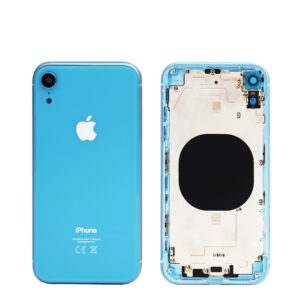 iPhone XRX series · 2018
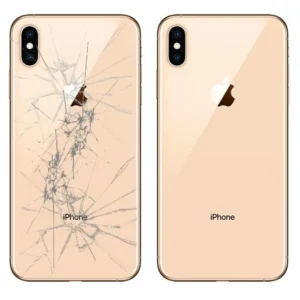 iPhone XSX series · 2018
 iPhone 12Standard · 2020
iPhone 12 Minimini · 2020
iPhone 12 ProPro · 2020
 iPhone 12 Pro MaxPro Max · 2020
 iPhone 13Standard · 2021
iPhone 13 Minimini · 2021
iPhone 13 ProPro · 2021
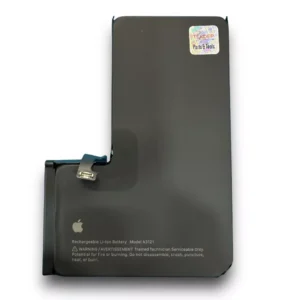 iPhone 13 Pro Battery ReplacementPro · 2021
iPhone 13 Pro MaxPro Max · 2021
iPhone 14Standard · 2022
iPhone 14 PlusPlus · 2022
 iPhone 14 ProPro · 2022
iPhone 14 Pro MaxPro Max · 2022
iPhone 15Standard · 2023
 iPhone 15 ProPro · 2023
 iPhone 15 Pro MaxPro Max · 2023
 iPhone 16 Pro Max DisplayPro Max · 2024