
 iPad Repair
 Mac Repair
 Apple Watch Repair
iPhone 13 Mini Repair in Kampala
Fast, warranty-backed iPhone 13 Mini repairs at Apple Lab Uganda on Kampala Road. Certified technicians, genuine parts and a free diagnosis before any work begins.
- Genuine parts
- 4 parts available
- 17 repair services
iPhone 13 Mini parts we replace.
Genuine or premium parts, fitted by certified technicians. Book online or get a price on WhatsApp.
Every iPhone 13 Mini problem, solved.
Tap a problem to book it. Free diagnosis before any work.
Book a repair
About the iPhone 13 Mini
Get your iPhone 13 mini repaired at Apple Lab Uganda. We offer expert display, battery, and comprehensive repair services at best price to keep your device in perfect condition. Fast, reliable, and affordable solutions.
- Device
- iPhone
- Series
- mini
- Release
- 2021
- Repair at
- Kampala Road, B16
iPhone 13 Mini Specification
🍏 iPhone 13 Mini Display:
- 5.4-inch Super Retina XDR display
- Ceramic Shield front cover
- 2340 x 1080 resolution at 476 ppi
- HDR display
🍏 Processor:
- iPhone 13 Mini has A15 Bionic chip with 6-core CPU
- it has 5-core GPU
- 16-core Neural Engine
🍏 Storage:
- 128GB, 256GB, or 512GB
🍏 Camera:
- Dual 12MP Ultra Wide and Wide cameras
- Night mode, Deep Fusion, Smart HDR 4, ProRes recording
- Sensor-shift optical image stabilization (Wide)
🍏 Front Camera:
- 12MP TrueDepth front camera
- Night mode, Deep Fusion, Smart HDR 4, ProRes recording
- Sensor-shift optical image stabilization
🍏 Video Recording:
- 4K Dolby Vision HDR recording at 60 fps
- 1080p HD recording at 30 fps or 60 fps
- ProRes recording (iPhone 13 mini Pro models)
🍏 iPhone 13 Mini Battery:
- Up to 17 hours of video playback
- Built-in rechargeable lithium-ion battery
- MagSafe and Qi wireless charging
🍏 Connectivity:
- 5G capable
- Gigabit LTE with 4×4 MIMO and LAA
- Wi-Fi 6 (802.11ax) with MIMO
- Bluetooth 5.0
- NFC with reader mode
🍏 Other Features:
- Face ID for secure authentication and Apple Pay
- iOS 15 operating system
- IP68 water and dust resistance
- Ceramic Shield front cover with oleophobic coating
- Dual SIM (nano-SIM and eSIM)
- Spatial audio with Dolby Atmos
🍏 iPhone 13 Mini Available in five colors:
- pink, blue, midnight, starlight, and (PRODUCT)RED
iPhone 13 Mini repair guide & tips
Why choose Apple Lab Uganda for your iPhone 13 Mini
Tips & Tricks For iPhone 13 Mini
👍 Compact Size, Powerful Performance: Embrace the compact size of the iPhone 13 Mini while still enjoying powerful performance. Despite its small size, the iPhone 13 Mini packs the same features and capabilities as its larger counterparts.
👍 Explore A15 Bionic Chip: Enjoy improved performance and efficiency with the A15 Bionic chip in this iPhone. The A15 chip delivers faster CPU and GPU performance, allowing for smoother multitasking, gaming, and overall device responsiveness.
👍 Take Advantage of Dual Camera System: Make use of the dual-camera system on this iPhone. Experiment with the wide and ultra-wide lenses to capture a variety of stunning photos and videos in different perspectives.
👍 Utilize Photographic Styles: Explore the Photographic Styles feature to customize the look of your photos. Photographic Styles allow you to choose from different styles such as Standard, Rich Contrast, Vibrant, and more, to achieve the desired look for your photos.
👍 Optimize Battery Life: Extend your battery life by managing settings such as background app refresh, location services, and screen brightness. Enable Low Power Mode from Settings > Battery when your battery is running low to further conserve power.
👍 Take Advantage of Face ID: Set up Face ID for secure authentication and unlocking of your device. Face ID uses facial recognition technology to quickly and conveniently authenticate your identity. You can set up Face ID in Settings > Face ID & Passcode.
👍 Customize Control Center: Access Control Center by swiping down from the top-right corner of the screen. Customize it by adding or removing shortcuts for quick access to settings such as Wi-Fi, Bluetooth, and Airplane Mode.
👍 Explore Night Mode: Make use of Night Mode to capture bright and detailed photos in low-light conditions. Night Mode automatically activates in dark environments, allowing you to capture impressive shots without using a flash.
👍 Stay Updated: Keep your device up-to-date with the latest software updates. Check for updates in Settings > General > Software Update to ensure you have access to the latest features, bug fixes, and security patches.
👍 Utilize Accessories: Take advantage of accessories designed specifically for this iPhone, such as cases, screen protectors, and wireless chargers. These accessories can help you personalize your device and enhance its functionality.
By incorporating these tips and tricks into your iPhone usage, you can enhance your overall experience and make the most out of its features and capabili
Tips & Tricks For iPhone 13 Mini
👍 Compact Size, Powerful Performance: Embrace the compact size of the iPhone 13 Mini while still enjoying powerful performance. Despite its small size, the iPhone 13 Mini packs the same features and capabilities as its larger counterparts.
👍 Explore A15 Bionic Chip: Enjoy improved performance and efficiency with the A15 Bionic chip in this iPhone. The A15 chip delivers faster CPU and GPU performance, allowing for smoother multitasking, gaming, and overall device responsiveness.
👍 Take Advantage of Dual Camera System: Make use of the dual-camera system on this iPhone. Experiment with the wide and ultra-wide lenses to capture a variety of stunning photos and videos in different perspectives.
👍 Utilize Photographic Styles: Explore the Photographic Styles feature to customize the look of your photos. Photographic Styles allow you to choose from different styles such as Standard, Rich Contrast, Vibrant, and more, to achieve the desired look for your photos.
👍 Optimize Battery Life: Extend your battery life by managing settings such as background app refresh, location services, and screen brightness. Enable Low Power Mode from Settings > Battery when your battery is running low to further conserve power.
👍 Take Advantage of Face ID: Set up Face ID for secure authentication and unlocking of your device. Face ID uses facial recognition technology to quickly and conveniently authenticate your identity. You can set up Face ID in Settings > Face ID & Passcode.
👍 Customize Control Center: Access Control Center by swiping down from the top-right corner of the screen. Customize it by adding or removing shortcuts for quick access to settings such as Wi-Fi, Bluetooth, and Airplane Mode.
👍 Explore Night Mode: Make use of Night Mode to capture bright and detailed photos in low-light conditions. Night Mode automatically activates in dark environments, allowing you to capture impressive shots without using a flash.
👍 Stay Updated: Keep your device up-to-date with the latest software updates. Check for updates in Settings > General > Software Update to ensure you have access to the latest features, bug fixes, and security patches.
👍 Utilize Accessories: Take advantage of accessories designed specifically for this iPhone, such as cases, screen protectors, and wireless chargers. These accessories can help you personalize your device and enhance its functionality.
By incorporating these tips and tricks into your iPhone usage, you can enhance your overall experience and make the most out of its features and capabili
Why choose Apple Lab Uganda for your iPhone 13 Mini
The best iPhone 13 mini Repair & Replacement Services at Apple Lab Uganda
Expert iPhone 13 mini Repair Services
At Apple Lab Uganda, we specialize in offering top-notch repair services for your iPhone. Our experienced technicians can handle a variety of issues, ensuring your device operates perfectly.
Comprehensive iPhone Display Replacement
A damaged display can significantly impact your iPhone experience. Our comprehensive display replacement service ensures your iPhone looks and functions like new. We use high-quality parts and offer quick service to minimize your downtime.
Reliable Battery Replacement
If your iPhone battery drains quickly, it might be time for a replacement. Our reliable battery replacement service extends your device’s battery life, ensuring it stays charged longer. We use genuine parts to guarantee optimal performance.
Water Damage Repair
Water damage can be detrimental to your device. Our skilled technicians are experts at repairing water-damaged iPhone devices. We meticulously assess the damage and provide the necessary repairs to restore your phone’s functionality.
Camera Repair and Replacement
A malfunctioning camera can disrupt your photography. At Apple Lab Uganda, we offer expert camera repair and replacement services for the iPhone 13 mini. Capture stunning photos again with our professional assistance.
Efficient Charging Port Repair
Charging issues can be incredibly frustrating. Our efficient charging port repair services address connectivity problems, ensuring your iPhone charges properly. Enjoy seamless charging with our expert solutions.
Speaker and Microphone Repair
Clear communication is essential. Our speaker and microphone repair services restore the audio quality of your iPhone. Speak and listen without any disruptions or distortions.
Why Choose Apple Lab Uganda?
At Apple Lab Uganda, we prioritize customer satisfaction. Our services are reliable, quick, and affordable. We use high-quality & original parts and employ skilled technicians to deliver the best results. Choose us for your iPhone repairs and experience unparalleled excellence.
Visit Us Today
Don’t let a damaged iPhone disrupt your day. Visit Apple Lab Uganda for expert repair and replacement services. We ensure your device is back to optimal condition in no time.
Your iPhone deserves the best care. Trust Apple Lab Uganda for all your repair needs.





From drop-off to done.
- 1Free ConsultationTell us the issue with your device, and we’ll provide a free diagnostic consultation to get started.
- 2In-depth DiagnosisOur skilled Apple technicians perform a thorough diagnostic check to identify the exact problem and recommend the best repair solution.
- 3Cost EstimationA clear quotation with a full breakdown of repair costs and time required, so you can decide with confidence.
- 4Repair ProcessOnce you approve, our technicians repair your device using genuine Apple parts and advanced techniques.
- 5DeliveryA comprehensive quality test, then we notify you for collection — a fully restored, reliable device.
Other models we repair
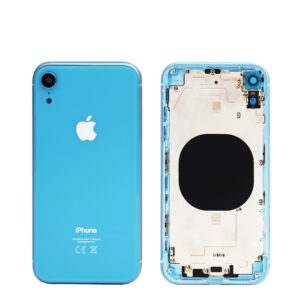 iPhone XRX series · 2018
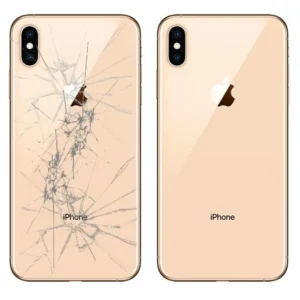 iPhone XSX series · 2018
 iPhone 12Standard · 2020
iPhone 12 Minimini · 2020
iPhone 12 ProPro · 2020
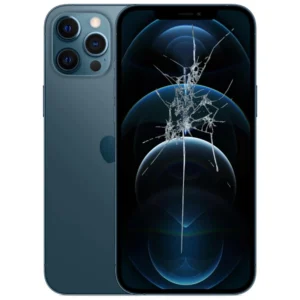 iPhone 12 Pro MaxPro Max · 2020
 iPhone 13Standard · 2021
iPhone 13 ProPro · 2021
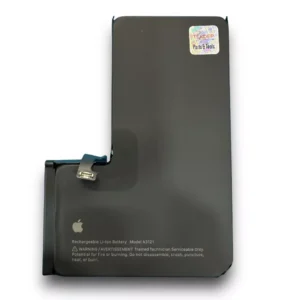 iPhone 13 Pro Battery ReplacementPro · 2021
iPhone 13 Pro MaxPro Max · 2021
iPhone 14Standard · 2022
iPhone 14 PlusPlus · 2022
 iPhone 14 ProPro · 2022
iPhone 14 Pro MaxPro Max · 2022
iPhone 15Standard · 2023
iPhone 15 PlusPlus · 2023
 iPhone 15 ProPro · 2023
 iPhone 15 Pro MaxPro Max · 2023
iPhone 16ee series · 2025
iPhone 16Standard · 2024
iPhone 16 PlusPlus · 2024
iPhone 16 ProPro · 2024
iPhone 16 Pro MaxPro Max · 2024
 iPhone 16 Pro Max DisplayPro Max · 2024
iPhone 17ee series · 2026
iPhone 17Standard · 2025
iPhone AirAir · 2025
iPhone 17 ProPro · 2025
iPhone 17 Pro MaxPro Max · 2025
 iPhone 18 ProPro · 2026
 iPhone 18 Pro MaxPro Max · 2026
 iPhone DuoFoldable · 2026