Skip to content
Apple Lab Uganda
iPad · iPad Air · 2020

iPad Air 4th Generation-2020 Repair in Kampala

Fast, warranty-backed iPad Air 4th Generation-2020 repairs at Apple Lab Uganda on Kampala Road. Certified technicians, genuine parts and a free diagnosis before any work begins.

  • Genuine parts
  • Warranty on every repair
  • Free diagnosis
Replacement parts

iPad Air 4th Generation-2020 parts we replace.

Genuine or premium parts, fitted by certified technicians. Book online or get a price on WhatsApp.

Glass & digitizer replacement Cracked touch glass or ghost touches. Book Get price
Battery replacement Won’t hold charge or shuts down suddenly. Book Get price
Display (LCD) replacement Lines, dark spots or no image. Book Get price
Charging port repair Lightning / USB-C port repair. Book Get price
Front & rear camera repair Blurry, black or shaking camera, front or back. Book Get price
Speaker & microphone repair No sound, muffled speakers or mic not working. Book Get price
Face ID / Touch ID repair Face ID unavailable or Touch ID not reading fingerprints. Book Get price
Bent frame & housing repair Bent or dented iPad straightened or housing replaced. Book Get price
TTouch Screen TTouch Screen for iPad Air 4th Generation-2020 Book Get price
Head Phone Jack Head Phone Jack for iPad Air 4th Generation-2020 Book Get price
iPad Air 4th Generation-2020

About the iPad Air 4th Generation-2020

Device
iPad
Series
iPad Air
Release
2020
Repair at
Kampala Road, B16

iPad Air 4

The Specifications of the iPad Air 4th Generation (2020) are as follows:

🍏 Design:

  • Dimensions: 247.6 x 178.5 x 6.1 mm (9.75 x 7.03 x 0.24 in)
  • Weight: Wi-Fi model: 458 grams (1.01 pounds), Wi-Fi + Cellular model: 460 grams (1.01 pounds)
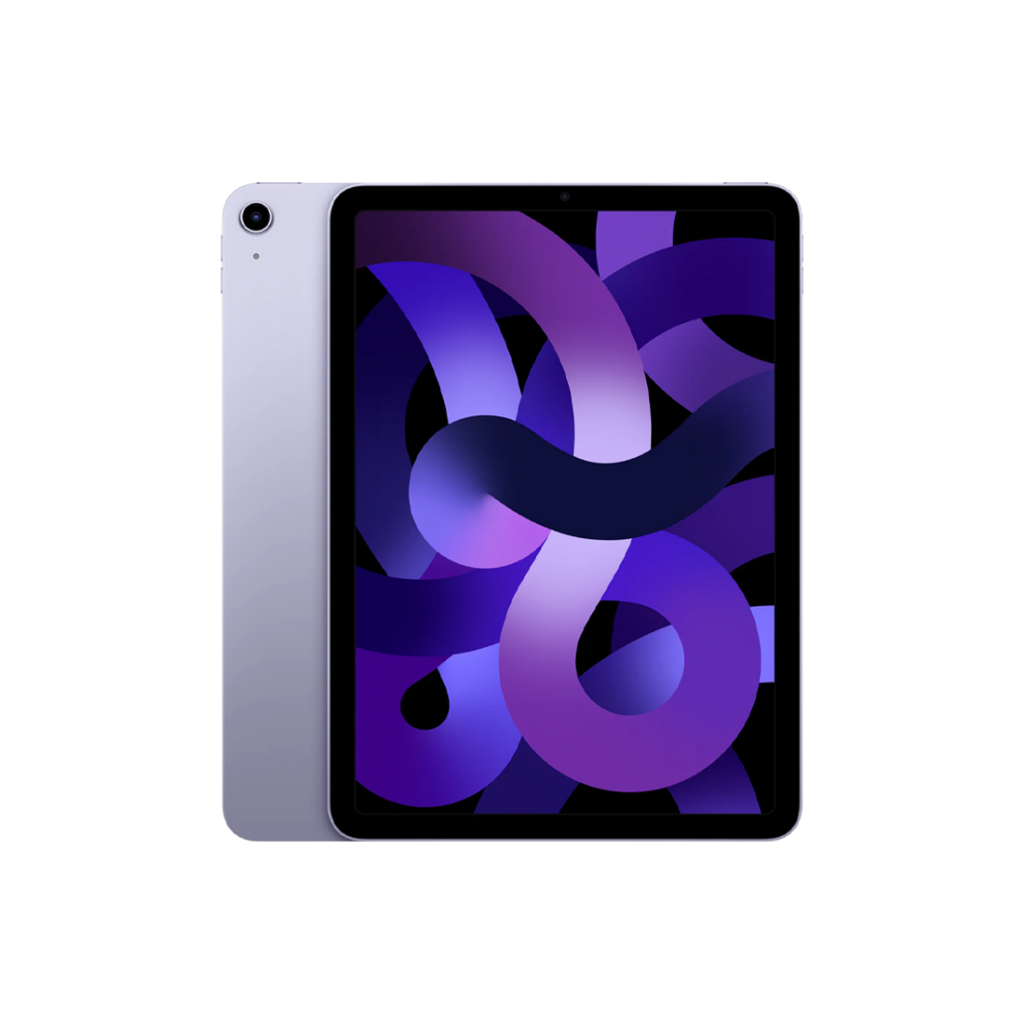
  • Colors: Silver, Space Gray, Rose Gold, Green, Sky Blue

🍏 Display:

  • 10.9-inch Liquid Retina display with True Tone
  • Resolution: 2360 x 1640 pixels at 264 pixels per inch (ppi)
  • Fully laminated display with anti-reflective coating
  • Wide color display (P3)
  • 500 nits brightness
  • Fingerprint-resistant oleophobic coating

🍏 Performance:

  • A14 Bionic chip with 64-bit architecture
  • Neural Engine

🍏 Storage:

  • Available in 64GB and 256GB storage options

🍏 Cameras:

  • Rear Camera: o 12-megapixel camera with autofocus and ƒ/1.8 aperture
  • Front Camera: o 7-megapixel FaceTime HD camera with 1080p HD video recording and Retina Flash
  • Video Recording: o 4K video recording at 24 fps, 30 fps, or 60 fps (rear camera) o 1080p HD video recording at 30 fps or 60 fps (front camera)

🍏 Audio:

  • Stereo speakers
  • Dual microphones for calls, video recording, and audio recording

🍏 Battery:

  • Built-in 28.6-watt-hour rechargeable lithium-polymer battery
  • Up to 10 hours of surfing the web on Wi-Fi or watching video
  • Charging via USB-C to computer system or power adapter

🍏 Connectivity:

  • Wi-Fi 6 (802.11ax) and Bluetooth 5.0 technology
  • Gigabit-class LTE cellular data connectivity (Cellular models only)

🍏 Sensors:

  • Touch ID fingerprint sensor built into the top button
  • Three-axis gyro, Accelerometer, Barometer, Ambient light sensor

🍏 Operating System:

  • iPadOS 14 (upgradeable to the latest version of iPadOS)

🍏 Other Features:

  • Compatible with 2nd generation Apple Pencil
  • Compatible with Magic Keyboard and Smart Keyboard Folio
  • USB-C connector for charging and accessories

The iPad Air 4th Generation offers powerful performance, a stunning display, and advanced features in a sleek and portable design, making it ideal for productivity, creativity, entertainment, and more.


Good to know

iPad Air 4th Generation-2020 repair guide & tips

Tips & Tricks

  • Multitasking Gestures: Take advantage of iPadOS multitasking features by using gestures like swiping up from the bottom to go to the home screen, swiping up and pausing for the app switcher, or swiping left or right with four fingers to switch between apps.


  • Slide Over and Split View: Maximize productivity by using Slide Over and Split View. Slide Over lets you quickly access a second app without leaving the one you’re in, while Split View allows you to run two apps side by side.


  • Drag and Drop: Easily move files, text, images, and more between apps using the drag-and-drop feature. Simply tap and hold on an item until it lifts off the screen, then drag it to where you want it to go.


  • Apple Pencil Integration: If you have an Apple Pencil, explore its capabilities beyond just drawing and writing. Use it to annotate PDFs, mark up screenshots, or even navigate the interface with precision.


  • Customize Control Center: Customize your Control Center by adding or removing shortcuts for quick access to frequently used settings like screen brightness, volume control, or screen recording.


  • Keyboard Shortcuts: Save time and streamline your workflow by learning keyboard shortcuts for common tasks. For example, pressing Command + Tab lets you quickly switch between open apps, while Command + Space brings up Spotlight search.


  • Safari Tab Groups: Stay organized while browsing by using Safari’s Tab Groups feature. Group related tabs together for different projects or tasks, making it easier to switch between them without cluttering your browser window.


  • Use iCloud for Seamless Syncing: Take advantage of iCloud to seamlessly sync your files, photos, and app data across all your Apple devices. This ensures that you always have access to your most up-to-date information no matter which device you’re using.


  • Explore Accessibility Features: iPadOS offers a wide range of accessibility features to accommodate different needs and preferences. Explore options like VoiceOver for spoken feedback, Magnifier for zooming in on objects, or AssistiveTouch for alternative ways to interact with your device.


  • Optimize Battery Life: Extend your iPad’s battery life by adjusting settings like screen brightness, background app refresh, and auto-lock time. You can also enable Low Power Mode when your battery is running low to temporarily reduce power consumption.

Why choose Apple Lab Uganda for your iPad Air 4th Generation-2020

iPad Air 4th Generation (2020) Repair & Replacement Service at Apple Lab in Uganda

At Apple Lab, we understand the importance of your iPad Air 4th Generation (2020) and are committed to providing top-quality repair and replacement services to ensure your device functions seamlessly. Our iPad Service Center in Uganda offers a comprehensive range of services, including original display and battery replacements, fast repairs, and guaranteed service using genuine parts.

We use only authentic, original parts for all repairs to maintain the integrity and performance of your iPad Air 4th Generation. Our team of expert technicians has extensive experience in repairing Apple devices and is well-trained to diagnose and fix any issue with efficiency.

Our service center is fully equipped with advanced tools, enabling us to handle any repair or replacement effectively. We value your time, so we offer same-day repair services for most issues. Trust us for reliable and timely solutions for all your iPad Air repair needs.

At Apple Lab, we stand behind our work, offering a one-year replacement guarantee on any parts we replace. Should you face issues within a year of service, we will replace the parts free of charge.

Conveniently located in the heart of Kampala, Apple Lab provides easy access to our services across Uganda. Since 2003, we’ve been a trusted provider of Apple device repair services, earning the loyalty of customers throughout Uganda. We are dedicated to delivering exceptional service that meets and exceeds expectations.

Our repair and replacement services are competitively priced, ensuring you receive excellent value for your money. Your satisfaction is our priority. If you’re not fully satisfied, we offer a 30-day money-back guarantee, no questions asked.

Whether your iPad Air 4th Generation needs a battery replacement, display repair, water damage repair, or logic board repair, Apple Lab is here to help. Visit our iPad Service Center in Uganda today for fast, reliable, and trusted service.

How it works

From drop-off to done.

  1. 1Free ConsultationTell us the issue with your device, and we’ll provide a free diagnostic consultation to get started.
  2. 2In-depth DiagnosisOur skilled Apple technicians perform a thorough diagnostic check to identify the exact problem and recommend the best repair solution.
  3. 3Cost EstimationA clear quotation with a full breakdown of repair costs and time required, so you can decide with confidence.
  4. 4Repair ProcessOnce you approve, our technicians repair your device using genuine Apple parts and advanced techniques.
  5. 5DeliveryA comprehensive quality test, then we notify you for collection — a fully restored, reliable device.
Genuine Apple partsEvery repair uses authentic parts.
13+ yearsRepairing Apple devices since 2011.
80,000+ repairsTrusted across Kampala and Uganda.
Warranty & guarantee30-day money-back on select services.