
 iPad Repair
 Mac Repair
 Apple Watch Repair
iPhone 12 Pro Max Repair in Kampala
Fast, warranty-backed iPhone 12 Pro Max repairs at Apple Lab Uganda on Kampala Road. Certified technicians, genuine parts and a free diagnosis before any work begins.
- Genuine parts
- 4 parts available
- 17 repair services
iPhone 12 Pro Max parts we replace.
Genuine or premium parts, fitted by certified technicians. Book online or get a price on WhatsApp.
Every iPhone 12 Pro Max problem, solved.
Tap a problem to book it. Free diagnosis before any work.
Book a repair
About the iPhone 12 Pro Max
- Device
- iPhone
- Series
- Pro Max
- Release
- 2020
- Repair at
- Kampala Road, B16
Specification of iPhone 12 Pro Max
🍏 Design:
- Dimensions: 160.8 x 78.1 x 7.4 mm
- Weight: 228 grams
- Ceramic Shield front cover, Textured matte glass back, Stainless steel frame
- Colors: Graphite, Silver, Gold, Pacific Blue
🍏 Display:
- 6.7-inch Super Retina XDR display
- OLED, HDR10, Dolby Vision
- 2778 x 1284 pixels resolution at 458 ppi
- True Tone, Wide color (P3)
- Haptic Touch
- Fingerprint-resistant oleophobic coating
🍏 Performance:
- A14 Bionic chip with next-generation Neural Engine
- 6GB of RAM
- Storage options: 128GB, 256GB, 512GB
🍏 Camera:
- Triple 12MP rear camera system: Ultra Wide, Wide, and Telephoto
- Ultra Wide: f/2.4 aperture, 120° field of view
- Wide: f/1.6 aperture, Sensor-shift optical image stabilization
- Telephoto: f/2.2 aperture, 2.5x optical zoom in, 2x optical zoom out, 5x optical zoom range
- Night mode, Deep Fusion, Smart HDR 3
- LiDAR Scanner for Night mode portraits, faster autofocus in low light, and augmented reality (AR) experiences
- HDR video recording with Dolby Vision up to 60fps
🍏 Front Camera:
- 12MP TrueDepth camera
- f/2.2 aperture
- Night mode, Deep Fusion, Smart HDR 3
- HDR video recording with Dolby Vision up to 30fps
🍏 Battery:
- Built-in rechargeable lithium-ion battery
- MagSafe wireless charging up to 15W
- Qi wireless charging up to 7.5W
- Fast charging capable: up to 50% charge in around 30 minutes with a 20W adapter or higher (sold separately)
🍏 Connectivity:
- 5G capable
- Dual SIM (nano-SIM and eSIM)
- Gigabit LTE, Wi-Fi 6 (802.11ax) with 2×2 MIMO
- Bluetooth 5.0, NFC with reader mode
🍏 Operating System:
- iOS 14 (upgradable to iOS 15)
🍏 Other Features:
- Face ID facial recognition for secure authentication
- Stereo speakers with spatial audio
- Rated IP68 (maximum depth of 6 meters up to 30 minutes) under IEC standard 60529
- Dual optical image stabilization
- MagSafe technology for easy attachment of MagSafe accessories
iPhone 12 Pro Max repair guide & tips
Why choose Apple Lab Uganda for your iPhone 12 Pro Max
Tips & Tricks
👍 Leverage the Triple Camera System: Take advantage of the triple-camera system on the iPhone 12 Pro Max. Experiment with the wide, ultra-wide, and telephoto lenses to capture a wide range of stunning photos and videos in different perspectives.
👍 Use Night Mode: Make use of Night Mode to capture bright and detailed photos in low-light conditions. Night Mode automatically activates in dark environments, allowing you to capture impressive shots without using a flash.
👍 Explore ProRAW: If available, enable ProRAW mode in the Camera settings to capture photos in a professional raw format. ProRAW gives you more control over editing and processing your photos, allowing you to achieve the exact look you desire.
👍 Record in Dolby Vision: This iPhone supports recording in Dolby Vision, allowing you to capture videos with stunning color, contrast, and detail. Experiment with Dolby Vision recording to create cinematic-quality videos.
👍 Optimize Battery Life: Extend your battery life by managing settings such as background app refresh, location services, and screen brightness. Enable Low Power Mode from Settings > Battery when your battery is running low to further conserve power.
👍 Use QuickTake for Video Recording: With QuickTake, you can quickly switch from photo mode to video mode by pressing and holding the shutter button while taking photos. This makes it easy to capture spontaneous moments without missing a beat.
👍 Experiment with Portrait Mode: Explore Portrait Mode to capture stunning photos with depth-of-field effects. Adjust the intensity of the background blur and experiment with different lighting effects to create professional-looking portraits.
👍 Customize Display Settings: Take advantage of the advanced display settings on the iPhone 12 Pro Max. Adjust settings such as True Tone, Night Shift, and Display Zoom to optimize your viewing experience and reduce eye strain.
👍 Utilize Face ID: Set up Face ID for secure authentication and unlocking of your device. Face ID uses facial recognition technology to quickly and conveniently authenticate your identity. You can set up Face ID in Settings > Face ID & Passcode.
👍 Stay Updated: Keep your device up-to-date with the latest software updates. Check for updates in Settings > General > Software Update to ensure you have access to the latest features, bug fixes, and security patches.
By incorporating these tips and tricks into your iPhone 12 Pro Max usage, you can enhance your overall experience and make the most out of its features and capabilities.
Tips & Tricks
👍 Leverage the Triple Camera System: Take advantage of the triple-camera system on the iPhone 12 Pro Max. Experiment with the wide, ultra-wide, and telephoto lenses to capture a wide range of stunning photos and videos in different perspectives.
👍 Use Night Mode: Make use of Night Mode to capture bright and detailed photos in low-light conditions. Night Mode automatically activates in dark environments, allowing you to capture impressive shots without using a flash.
👍 Explore ProRAW: If available, enable ProRAW mode in the Camera settings to capture photos in a professional raw format. ProRAW gives you more control over editing and processing your photos, allowing you to achieve the exact look you desire.
👍 Record in Dolby Vision: This iPhone supports recording in Dolby Vision, allowing you to capture videos with stunning color, contrast, and detail. Experiment with Dolby Vision recording to create cinematic-quality videos.
👍 Optimize Battery Life: Extend your battery life by managing settings such as background app refresh, location services, and screen brightness. Enable Low Power Mode from Settings > Battery when your battery is running low to further conserve power.
👍 Use QuickTake for Video Recording: With QuickTake, you can quickly switch from photo mode to video mode by pressing and holding the shutter button while taking photos. This makes it easy to capture spontaneous moments without missing a beat.
👍 Experiment with Portrait Mode: Explore Portrait Mode to capture stunning photos with depth-of-field effects. Adjust the intensity of the background blur and experiment with different lighting effects to create professional-looking portraits.
👍 Customize Display Settings: Take advantage of the advanced display settings on the iPhone 12 Pro Max. Adjust settings such as True Tone, Night Shift, and Display Zoom to optimize your viewing experience and reduce eye strain.
👍 Utilize Face ID: Set up Face ID for secure authentication and unlocking of your device. Face ID uses facial recognition technology to quickly and conveniently authenticate your identity. You can set up Face ID in Settings > Face ID & Passcode.
👍 Stay Updated: Keep your device up-to-date with the latest software updates. Check for updates in Settings > General > Software Update to ensure you have access to the latest features, bug fixes, and security patches.
By incorporating these tips and tricks into your iPhone 12 Pro Max usage, you can enhance your overall experience and make the most out of its features and capabilities.
Why choose Apple Lab Uganda for your iPhone 12 Pro Max
Expert iPhone 12 Pro Max Repair Service at Apple Lab Uganda
If you’re facing issues with your iPhone, Apple Lab Uganda is your trusted destination for reliable and professional repair services. With over two decades of experience in Apple device repairs, we specialize in restoring your iPhone to its optimal condition using genuine parts and advanced techniques.
Premium Repair Services for iPhone 12 Pro Max
At Apple Lab Uganda, we understand the importance of your iPhone in your daily life. Whether it’s a cracked screen, a battery that won’t hold a charge, water damage, or any other issue, our skilled technicians are equipped to handle it all promptly and effectively.
Why Choose Apple Lab Uganda?
- Genuine Parts: We use only original Apple parts for all repairs, ensuring the best possible performance and longevity for your iPhone.
- Experienced Technicians: Our technicians are Apple-certified and have extensive experience in diagnosing and repairing iPhone devices.
- Fast Turnaround: We strive to provide quick turnaround times, with many repairs completed on the same day to minimize inconvenience.
- Warranty Coverage: Enjoy peace of mind with our warranty on all iPhone repairs, covering the replaced parts and services rendered.
Comprehensive iPhone 12 Pro Max Repair Solutions
- Screen Replacement: Get your cracked or shattered screen replaced with an original display for crystal-clear visuals.
- Battery Replacement: Restore your iPhone’s battery life with a genuine replacement that meets Apple’s standards.
- Water Damage Repair: Trust our experts to thoroughly clean and repair water-damaged iPhones to prevent further issues.
- Logic Board Repair: Address complex issues like motherboard or logic board malfunctions with precision and care.
Convenient Location and Trusted Service
Located centrally in Uganda, Apple Lab Uganda is easily accessible from various regions across the country. Our commitment to quality, combined with our customer-centric approach, has earned us the trust of countless iPhone users throughout Uganda.
Contact Us Today
Experience the highest standards of iPhone repair service at Apple Lab Uganda. Whether your device needs a quick fix or a major repair, our dedicated team is here to help. Visit us, call our customer service hotline, or schedule an appointment online to get started.
Trust Apple Lab Uganda for all your iPhone repair needs. Your satisfaction is our priority, and we guarantee excellence in every repair.
Contact us today and let Apple Lab Uganda restore your iPhone to perfection!

From drop-off to done.
- 1Free ConsultationTell us the issue with your device, and we’ll provide a free diagnostic consultation to get started.
- 2In-depth DiagnosisOur skilled Apple technicians perform a thorough diagnostic check to identify the exact problem and recommend the best repair solution.
- 3Cost EstimationA clear quotation with a full breakdown of repair costs and time required, so you can decide with confidence.
- 4Repair ProcessOnce you approve, our technicians repair your device using genuine Apple parts and advanced techniques.
- 5DeliveryA comprehensive quality test, then we notify you for collection — a fully restored, reliable device.
Other models we repair
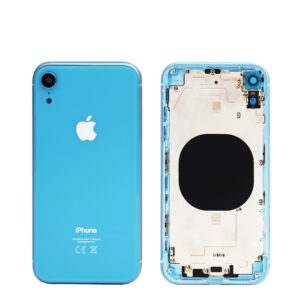 iPhone XRX series · 2018
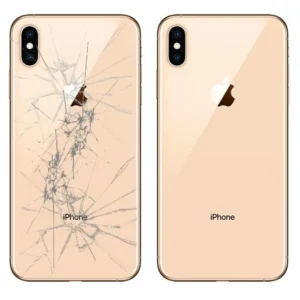 iPhone XSX series · 2018
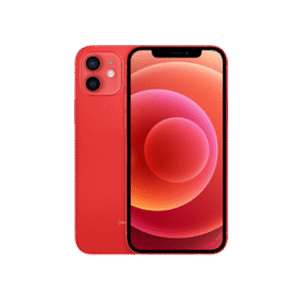 iPhone 12Standard · 2020
iPhone 12 Minimini · 2020
iPhone 12 ProPro · 2020
 iPhone 13Standard · 2021
iPhone 13 Minimini · 2021
iPhone 13 ProPro · 2021
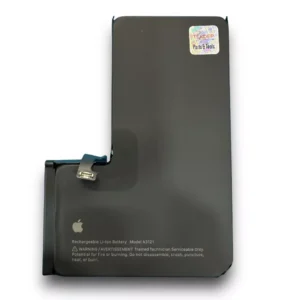 iPhone 13 Pro Battery ReplacementPro · 2021
iPhone 13 Pro MaxPro Max · 2021
iPhone 14Standard · 2022
iPhone 14 PlusPlus · 2022
 iPhone 14 ProPro · 2022
iPhone 14 Pro MaxPro Max · 2022
iPhone 15Standard · 2023
iPhone 15 PlusPlus · 2023
 iPhone 15 ProPro · 2023
 iPhone 15 Pro MaxPro Max · 2023
 iPhone 16 Pro Max DisplayPro Max · 2024