Skip to content
Apple Lab Uganda
MacBook · MacBook Air · 2019

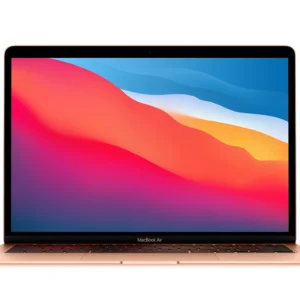
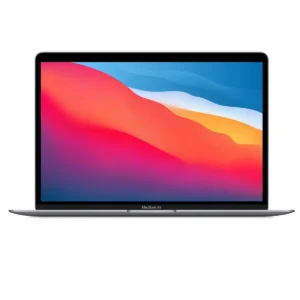
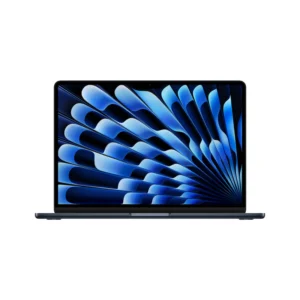
MacBook Air 2019-A1932 Repair in Kampala

Fast, warranty-backed MacBook Air 2019-A1932 repairs at Apple Lab Uganda on Kampala Road. Certified technicians, genuine parts and a free diagnosis before any work begins.

  • Genuine parts
  • 9 parts available
  • 17 repair services
Replacement parts

MacBook Air 2019-A1932 parts we replace.

Genuine or premium parts, fitted by certified technicians. Book online or get a price on WhatsApp.

Display Display replacement for MacBook Air 2019-A1932 Book
Battery Battery replacement for MacBook Air 2019-A1932 Book
KeyBoard KeyBoard replacement for MacBook Air 2019-A1932 Book
Track Pad Track Pad replacement for MacBook Air 2019-A1932 Book
Speaker Speaker replacement for MacBook Air 2019-A1932 Book
Top Case Top Case replacement for MacBook Air 2019-A1932 Book
Touch ID Touch ID replacement for MacBook Air 2019-A1932 Book
Mother Board Mother Board replacement for MacBook Air 2019-A1932 Book
Charging Port Charging Port replacement for MacBook Air 2019-A1932 Book
MacBook Air 2019-A1932

About the MacBook Air 2019-A1932

Device
MacBook
Series
MacBook Air
Release
2019
Repair at
Kampala Road, B16

Specifications

🍎💻The Specifications of MacBook Air A1932 (2019):

The MacBook Air A1932 (2019) is part of the MacBook Air lineup and features a slim and lightweight design.

🍏 Design:

  • Sleek and lightweight aluminum unibody construction.
  • 13.3-inch Retina display with a resolution of 2560 x 1600 pixels.

🍏 Processor:

  • Configurable with dual-core Intel Core i5 or i7 processors for efficient performance.

🍏 Graphics:

  • Integrated Intel UHD Graphics 617.

🍏 Memory (RAM):

  • Configurable with 8GB of LPDDR3 RAM.

🍏 Storage:

  • Configurable with various storage options: 128GB, 256GB, 512GB, or 1TB SSD.

🍏 Ports:

  • Two Thunderbolt 3 (USB-C) ports for high-speed data transfer and external display support.
  • 3.5mm headphone jack.

🍏 Wireless:

  • Wi-Fi 802.11ac for wireless connectivity.
  • Bluetooth 4.2 for connecting to compatible devices.

🍏 Operating System:

  • Shipped with macOS Mojave (10.14) and upgradeable to later macOS versions.

🍏 Camera:

  • 720p FaceTime HD camera for video conferencing and FaceTime calls.

🍏 Audio:

  • Stereo speakers for high-quality audio output.
  • Three-microphone array for clear voice capture.
  • 3.5mm headphone jack.

🍏 Battery:

  • Built-in 50.3-watt-hour lithium-polymer battery.
  • Up to 11 hours of web browsing and up to 12 hours of video playback.

🍏 Keyboard and Trackpad:
Full-sized backlit Magic Keyboard with a butterfly mechanism.
Force Touch trackpad for precise cursor control and gesture support.

🍏 Security:

  • Touch ID fingerprint sensor for secure login.
  • Apple T2 Security Chip for enhanced security.

🍏 Dimensions and Weight:

  • Height: 0.16–0.63 inches (0.41–1.61 cm)
  • Width: 11.97 inches (30.41 cm)
  • Depth: 8.36 inches (21.24 cm)
  • Weight: Around 2.75 pounds (1.25 kg)

Liquid Damaged Service

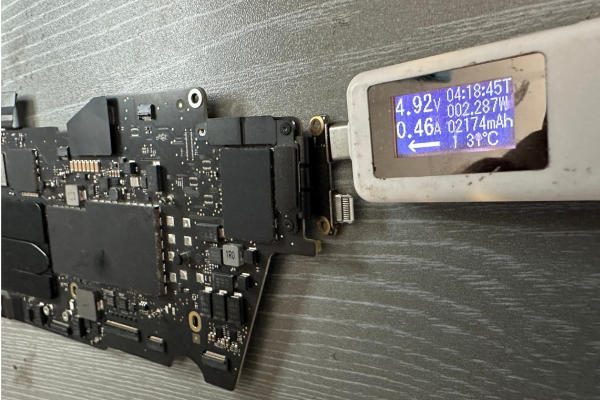
Apple Lab Uganda is your go-to solution for reviving dead or liquid-damaged Macs. Our team of skilled and experienced technicians employs advanced techniques and genuine parts to diagnose and resolve a wide range of issues. With a focus on efficiency…

Book this service

Display Repair Service​

Breathe new life into your Mac's visuals with Apple Lab Uganda's outstanding display replacement service. It takes only one hour to replace the display unit. Our expert Apple technicians meticulously replace your damaged display with an original Apple screen, delivering…

Book this service

KeyBoard Repair Service

Rediscover seamless typing with Apple Lab Uganda's MacBook keyboard replacement service. Our experienced Apple technicians skillfully replace your faulty keyboard with an original component, backed by a money-back guarantee, restoring your device's functionality. Call us at Apple Lab Uganda for…

Book this service

Battery Replacement Service

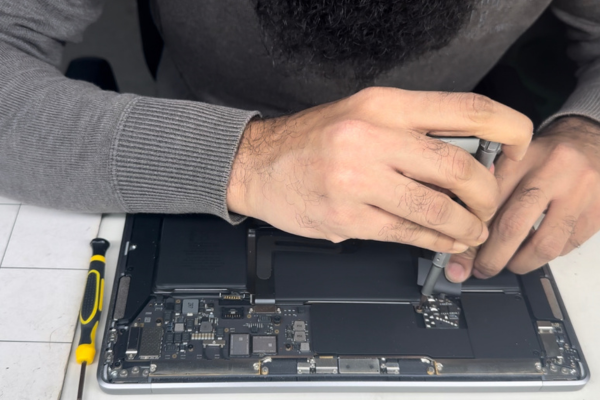
At Apple Lab Uganda, we provide a swift and efficient MacBook battery replacement service to rejuvenate your device's performance. It takes only two hours maximum to replace the battery. We use original OEM batteries, ensuring optimal performance and durability. Contact…

Book this service
Good to know

MacBook Air 2019-A1932 repair guide & tips

MacBook Air

Model: A1932, Size: 13 inch, Year: 2019

Tips & Tricks

👍 Use Touch ID for Authentication:

MacBook Air A1932 (2018) comes with Touch ID, allowing you to quickly and securely unlock your device, make purchases, and authenticate passwords. Set up Touch ID in System Preferences > Touch ID.


👍 Customize Touch Bar:

If your MacBook Air A1932 (2018) model includes a Touch Bar, customize it to display your most-used shortcuts and controls. You can customize the Touch Bar by going to System Preferences > Keyboard > Customize Control Strip.


👍 Utilize Siri:

Take advantage of Siri to perform tasks, search for information, and control your MacBook Air with voice commands. Activate Siri by pressing and holding the Siri button on the Touch Bar or by saying “Hey Siri” if enabled.


👍 Enable Dark Mode:

Reduce eye strain and conserve battery life by enabling Dark Mode, which changes the appearance of macOS to a darker color scheme. Enable Dark Mode in System Preferences > General.


👍 Unlock with Apple Watch:

If you own an Apple Watch, you can use it to automatically unlock your MacBook Air when you’re nearby. Enable this feature in System Preferences > Security & Privacy > General.


👍 Use Sidecar for Dual Screen:

If you have an iPad, you can use it as a second display for your MacBook Air using Sidecar. Enable Sidecar in System Preferences > Sidecar and choose your iPad from the list of available devices.


👍 Utilize Continuity Features:

Take advantage of Continuity features such as Handoff, Universal Clipboard, and AirDrop to seamlessly transition between your MacBook Air and other Apple devices. Ensure Continuity features are enabled in System Preferences > General.


👍 Manage Storage:

Keep your MacBook Air A1932 (2018) running smoothly by regularly managing storage space. Use the built-in Storage Management tool to identify and remove unnecessary files and applications.


👍 Protect Your Privacy:

Protect your privacy by configuring privacy settings and permissions for apps and services. Review and adjust privacy settings in System Preferences > Security & Privacy.


👍 Keep macOS Updated:

Ensure your MacBook Air A1932 (2018) is running the latest version of macOS to access new features, performance improvements, and security updates. Check for updates in System Preferences > Software Update.


By incorporating these tips and tricks into your usage of the MacBook Air A1932 (2018), you can optimize performance, enhance productivity, and make the most out of your device.

Why choose Apple Lab Uganda for your MacBook Air 2019-A1932

💁🏼💻🔧 MacBook Air A1932 (2019) Repair & Replacement Service at Apple Lab Uganda

Apple Lab Uganda has been the leading provider of Apple device repair services in Uganda since 2003. With our commitment to excellence, authenticity, and customer satisfaction, we have earned the trust of customers across Kampala and beyond. Now, we are proud to offer specialized repair and replacement service for the MacBook Air A1932 (2019), ensuring that your device receives the highest quality care it deserves.

At Apple Lab Uganda, we believe in providing competitive pricing without compromising on quality. Our repair and replacement services for the MacBook Air A1932 (2019) are priced affordably, making them accessible to all customers. Moreover, we use genuine Apple parts to ensure the authenticity and performance of your device after repair.

When it comes to repairing your MacBook Air A1932 (2018), we prioritize using original displays and batteries. Our expert technicians are trained to handle the intricacies of Apple devices, ensuring that your MacBook Air retains its original quality and functionality. Whether you need a display replacement, battery replacement, or any other repair service, we have the expertise and resources to get the job done right.

Our state-of-the-art service center is fully equipped with advanced tools and facilities, making us capable of handling any MacBook Air repair task. With over a decade of experience in Apple repair services, we have honed our skills and processes to deliver efficient and reliable repairs. Our customers can trust us to diagnose and fix any issue with their MacBook Air A1932 (2018) promptly and effectively.

We stand behind the quality of our work at Apple Lab Uganda. That’s why we offer a 30-day money-back guarantee if you’re not completely satisfied with our service. Additionally, we provide a one-year replacement guarantee with any parts replacement service, ensuring peace of mind for our customers. Your satisfaction is our top priority, and we strive to exceed your expectations with every repair.

We understand the importance of a quick turnaround time when it comes to MacBook Air repair. That’s why we offer fast and efficient repair services at Apple Lab Uganda. With our advanced lab and expert technicians, we strive to provide same-day service for many common repairs, minimizing downtime for our customers.

Apple Lab Uganda has earned the trust and loyalty of customers across Uganda with our reliable service and commitment to quality. Our convenient location in the center of Kampala makes it easy for customers to access our services, further enhancing their experience. When you choose Apple Lab Uganda for your MacBook Air A1932 (2018) repair needs, you can trust that your device is in the hands of experts who care.

For MacBook Air A1932 (2018) repair and replacement services you can trust, look no further than Apple Lab Uganda. With our competitive pricing, original parts, and commitment to customer satisfaction, we are your trusted partner for all your Apple device repair needs in Uganda.

Visit our service center today and experience the Apple Lab Uganda difference for yourself.

How it works

From drop-off to done.

  1. 1Free ConsultationTell us the issue with your device, and we’ll provide a free diagnostic consultation to get started.
  2. 2In-depth DiagnosisOur skilled Apple technicians perform a thorough diagnostic check to identify the exact problem and recommend the best repair solution.
  3. 3Cost EstimationA clear quotation with a full breakdown of repair costs and time required, so you can decide with confidence.
  4. 4Repair ProcessOnce you approve, our technicians repair your device using genuine Apple parts and advanced techniques.
  5. 5DeliveryA comprehensive quality test, then we notify you for collection — a fully restored, reliable device.
Genuine Apple partsEvery repair uses authentic parts.
13+ yearsRepairing Apple devices since 2011.
80,000+ repairsTrusted across Kampala and Uganda.
Warranty & guarantee30-day money-back on select services.