Skip to content
Apple Lab Uganda
MacBook · MacBook Air · 2022

MacBook Air 2022-A2681 Repair Services Uganda Repair in Kampala

Fast, warranty-backed MacBook Air 2022-A2681 Repair Services Uganda repairs at Apple Lab Uganda on Kampala Road. Certified technicians, genuine parts and a free diagnosis before any work begins.

  • Genuine parts
  • 9 parts available
  • 17 repair services
Replacement parts

MacBook Air 2022-A2681 Repair Services Uganda parts we replace.

Genuine or premium parts, fitted by certified technicians. Book online or get a price on WhatsApp.

Display Display replacement for MacBook Air 2022-A2681 Repair Services Uganda Book
Battery Battery replacement for MacBook Air 2022-A2681 Repair Services Uganda Book
KeyBoard KeyBoard replacement for MacBook Air 2022-A2681 Repair Services Uganda Book
Track Pad Track Pad replacement for MacBook Air 2022-A2681 Repair Services Uganda Book
Speaker Speaker replacement for MacBook Air 2022-A2681 Repair Services Uganda Book
Top Case Top Case replacement for MacBook Air 2022-A2681 Repair Services Uganda Book
Touch ID Touch ID replacement for MacBook Air 2022-A2681 Repair Services Uganda Book
Mother Board Mother Board replacement for MacBook Air 2022-A2681 Repair Services Uganda Book
Charging Port Charging Port replacement for MacBook Air 2022-A2681 Repair Services Uganda Book
MacBook Air 2022-A2681 Repair Services Uganda

About the MacBook Air 2022-A2681 Repair Services Uganda

Device
MacBook
Series
MacBook Air
Release
2022
Repair at
Kampala Road, B16

Specifications

The specifications of MacBook Air (2022) – A2681:

🍎 General

  • Release Date: July 2022
  • Model Identifier: MacBookAir10,1

🍎 Design & Dimensions:

  • Height: 0.44 inches (1.13 cm)
  • Width: 11.97 inches (30.41 cm)
  • Depth: 8.36 inches (21.24 cm)
  • Weight: 2.7 pounds (1.24 kg)
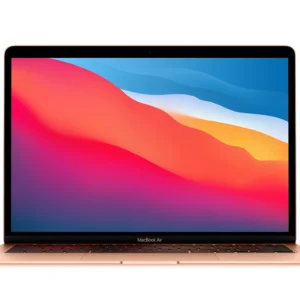
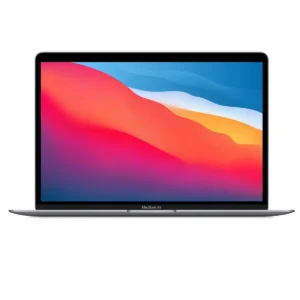
  • Material: Aluminum chassis available in Gold, Silver, and Space Gray finishes.

🍎 Display

  • Screen Size: 13.6 inches (diagonal)
  • Resolution: 2560 x 1664 pixels
  • Technology: Retina display with True Tone and P3 wide color
  • Brightness: Up to 400 nits

🍎 Performance

  • Processor: Apple M2 chip
  • 8-core CPU
  • 8-core GPU (or 10-core GPU option)
  • 16-core Neural Engine
  • RAM:
  • 8GB unified memory (configurable to 16GB or 24GB)
  • Storage:
  • 256GB SSD (configurable to 512GB, 1TB, or 2TB)

🍎 Battery and Power

  • Battery Life: Up to 18 hours of web browsing or up to 15 hours of video playback
  • Battery Capacity: 52.6 watt-hour lithium-polymer battery
  • Charging: 30W USB-C power adapter (or 67W for the 10-core GPU model)

🍎 Connectivity

  • Ports:
  • Two Thunderbolt 3 (USB-C) ports
  • 3.5 mm headphone jack
  • Wireless:
  • Wi-Fi 6 (802.11ax)
  • Bluetooth 5.0

🍎 Audio and Video

  • Camera: 1080p FaceTime HD camera
  • Microphones: Three-microphone array with directional beamforming
  • Speakers: Wide stereo sound

🍎 Keyboard and Trackpad

  • Keyboard: Magic Keyboard with a scissor mechanism
  • Trackpad: Force Touch trackpad

🍎 Operating System

  • Pre-installed OS: macOS Monterey (upgradable to later versions)

🍎 Additional Features

  • Touch ID: Integrated into the power button
  • Security: Apple T2 Security Chip (on older models)
  • Sustainability: Made with recycled materials

This MacBook Air model is designed for a blend of portability and performance, making it a great choice for everyday tasks, content creation, and more. If you have specific questions or need further details, feel free to ask!

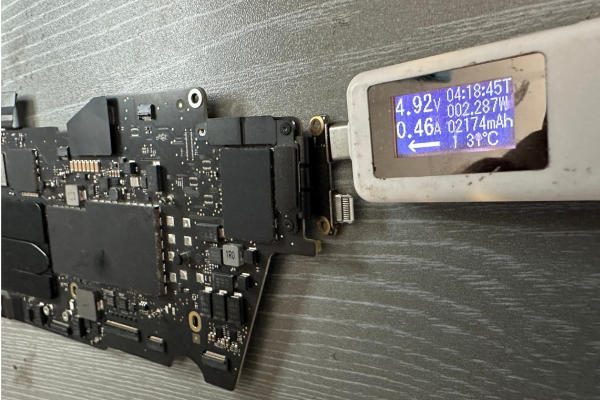
MacBook Air 2022-A2681 Liquid Damaged Service

Apple Lab Uganda is your go-to solution for reviving dead or liquid-damaged Macs. Our team of skilled and experienced technicians employs advanced techniques and genuine parts to diagnose and resolve a wide range of issues. With a focus on efficiency…

Book this service

MacBook Air 2022-A2681 Display Repair Service​

Breathe new life into your Mac's visuals with Apple Lab Uganda's outstanding display replacement service. It takes only one hour to replace the display unit. Our expert Apple technicians meticulously replace your damaged display with an original Apple screen, delivering…

Book this service

MacBook Air 2022-A2681 KeyBoard Repair Service

Rediscover seamless typing with Apple Lab Uganda's MacBook keyboard replacement service. Our experienced Apple technicians skillfully replace your faulty keyboard with an original component, backed by a money-back guarantee, restoring your device's functionality. Call us at Apple Lab Uganda for…

Book this service

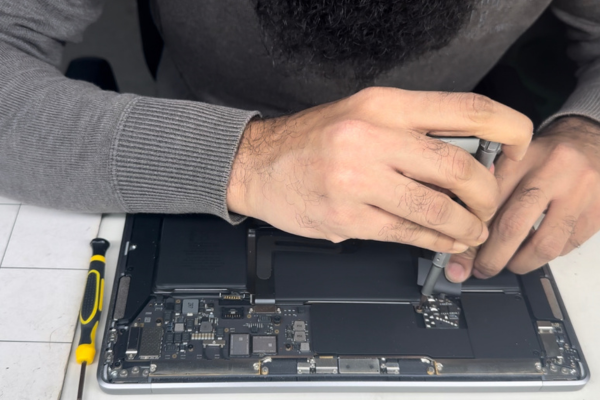
MacBook Air 2022-A2681Battery Replacement Service

At Apple Lab Uganda, we provide a swift and efficient MacBook battery replacement service to rejuvenate your device's performance. It takes only two hours maximum to replace the battery. We use original OEM batteries, ensuring optimal performance and durability. Contact…

Book this service
Good to know

MacBook Air 2022-A2681 Repair Services Uganda repair guide & tips

Tips & Tricks

• Master Trackpad Gestures

Take advantage of multi-touch gestures on your trackpad. Use three fingers to swipe between apps, pinch to zoom, and four fingers to access Mission Control for quick navigation.

  • Utilize Split View To boost productivity, use Split View to work in two apps side by side. Click and hold the green maximize button on an app window, then select the other app to fill the remaining screen space.

  • Customize Control Center Personalize your Control Center by adding or removing items. Go to System Preferences > Control Center to customize what you see, making it easier to access frequently used settings.

  • Optimize Battery Life Extend your battery life by adjusting settings in System Preferences > Battery. Enable “Low Power Mode,” reduce screen brightness, and manage background app activity to conserve energy.

  • Take Advantage of Spotlight Quickly find files, apps, or even perform calculations using Spotlight. Press Command + Spacebar to open it, then type what you need. It’s a fast way to boost your productivity.

  • Use Night Shift Reduce eye strain during the evening by enabling Night Shift. Go to System Preferences > Displays > Night Shift to schedule it based on sunset times, making your screen easier on the eyes.

  • Set Up Hot Corners Configure Hot Corners to perform actions like launching Mission Control or putting the display to sleep when you move your cursor to a corner of the screen. Find this option in System Preferences > Mission Control > Hot Corners.

  • Enable Find My Mac Protect your MacBook by enabling Find My Mac. This feature allows you to locate your device if it’s lost or stolen. Set it up in System Preferences > Apple ID > iCloud.

  • Use AirDrop for Easy File Sharing Quickly share files with nearby Apple devices using AirDrop. Open Finder, select AirDrop from the sidebar, and choose the device you want to send files to, making sharing a breeze.

  • Utilize Siri Make your tasks easier by using Siri. From setting reminders to checking the weather, simply activate Siri by clicking the icon or saying “Hey Siri” if enabled. It’s a handy tool for hands-free assistance.

These tips will help you enhance your experience and help you take care of your MacBook Air 2022. Enjoy your device!

• Master Trackpad Gestures

Take advantage of multi-touch gestures on your trackpad. Use three fingers to swipe between apps, pinch to zoom, and four fingers to access Mission Control for quick navigation.

  • Utilize Split View To boost productivity, use Split View to work in two apps side by side. Click and hold the green maximize button on an app window, then select the other app to fill the remaining screen space.

  • Customize Control Center Personalize your Control Center by adding or removing items. Go to System Preferences > Control Center to customize what you see, making it easier to access frequently used settings.

  • Optimize Battery Life Extend your battery life by adjusting settings in System Preferences > Battery. Enable “Low Power Mode,” reduce screen brightness, and manage background app activity to conserve energy.

  • Take Advantage of Spotlight Quickly find files, apps, or even perform calculations using Spotlight. Press Command + Spacebar to open it, then type what you need. It’s a fast way to boost your productivity.

  • Use Night Shift Reduce eye strain during the evening by enabling Night Shift. Go to System Preferences > Displays > Night Shift to schedule it based on sunset times, making your screen easier on the eyes.

  • Set Up Hot Corners Configure Hot Corners to perform actions like launching Mission Control or putting the display to sleep when you move your cursor to a corner of the screen. Find this option in System Preferences > Mission Control > Hot Corners.

  • Enable Find My Mac Protect your MacBook by enabling Find My Mac. This feature allows you to locate your device if it’s lost or stolen. Set it up in System Preferences > Apple ID > iCloud.

  • Use AirDrop for Easy File Sharing Quickly share files with nearby Apple devices using AirDrop. Open Finder, select AirDrop from the sidebar, and choose the device you want to send files to, making sharing a breeze.

  • Utilize Siri Make your tasks easier by using Siri. From setting reminders to checking the weather, simply activate Siri by clicking the icon or saying “Hey Siri” if enabled. It’s a handy tool for hands-free assistance.

These tips will help you enhance your experience and help you take care of your MacBook Air 2022. Enjoy your device!

Why choose Apple Lab Uganda for your MacBook Air 2022-A2681 Repair Services Uganda

Repair & Replacement Service for MacBook Air 2022 (A2681) at Apple Lab Apple in Uganda

At Apple Lab Uganda, we take pride in offering premium repair and replacement services for your MacBook Air 2022 (A2681). With our extensive experience in Apple repairs, dating back to 2003, we understand the unique needs of our customers and the intricacies of Apple devices.

Our state-of-the-art facility is fully equipped with the latest technology, allowing us to handle a wide range of repair needs swiftly and efficiently. We have a team of expert technicians who are highly trained in Apple products, ensuring that your device receives the best care possible.

We know how vital your MacBook Air is to your daily life, which is why we offer same-day repair services for most issues. If for any reason you are not satisfied with our service, we stand by our commitment to customer satisfaction with a 30-day money-back guarantee. Additionally, any parts we replace come with a one-year replacement warranty, giving you peace of mind with every repair.

We use original Apple parts to ensure your MacBook Air retains its original performance and quality. Our focus on fast repair times and high-quality service sets us apart from the competition.

If you’re experiencing issues with your MacBook Air, don’t hesitate to contact Apple Lab  for professional repair and replacement services. Our dedicated team of Apple expert technicians is ready to assist you with any issue you may encounter. At Apple Deals Uganda, we are committed to providing the best solutions to keep your MacBook Air running smoothly for years to come.

Reach out to us today or visit our service center in kampala for premium MacBook Air repair services you can rely on.

How it works

From drop-off to done.

  1. 1Free ConsultationTell us the issue with your device, and we’ll provide a free diagnostic consultation to get started.
  2. 2In-depth DiagnosisOur skilled Apple technicians perform a thorough diagnostic check to identify the exact problem and recommend the best repair solution.
  3. 3Cost EstimationA clear quotation with a full breakdown of repair costs and time required, so you can decide with confidence.
  4. 4Repair ProcessOnce you approve, our technicians repair your device using genuine Apple parts and advanced techniques.
  5. 5DeliveryA comprehensive quality test, then we notify you for collection — a fully restored, reliable device.
Genuine Apple partsEvery repair uses authentic parts.
13+ yearsRepairing Apple devices since 2011.
80,000+ repairsTrusted across Kampala and Uganda.
Warranty & guarantee30-day money-back on select services.